# Calendar export to Google calendar
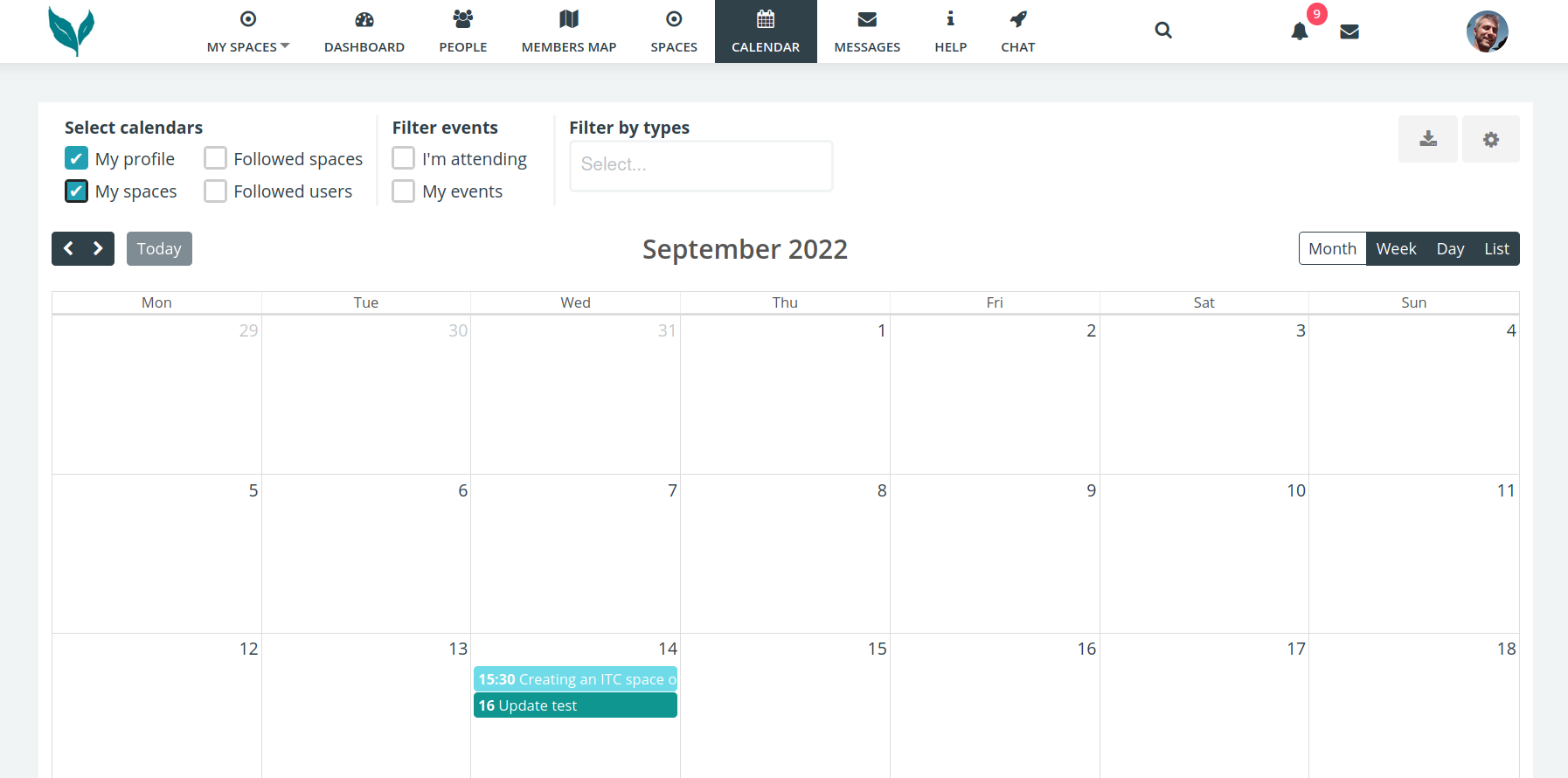
<span style="font-family: 'Arial'; font-size: 11pt; color: #000000; mso-style-textfill-fill-color: #000000;">![](https://knowledge.transition-space.org/uploads/images/gallery/2023-10/embedded-image-zakojup3.png)</span>

<span style="font-family: 'Arial'; font-size: 11pt; color: #000000; mso-style-textfill-fill-color: #000000;">On the main calendar page in the top right click on the download/export icon.</span>

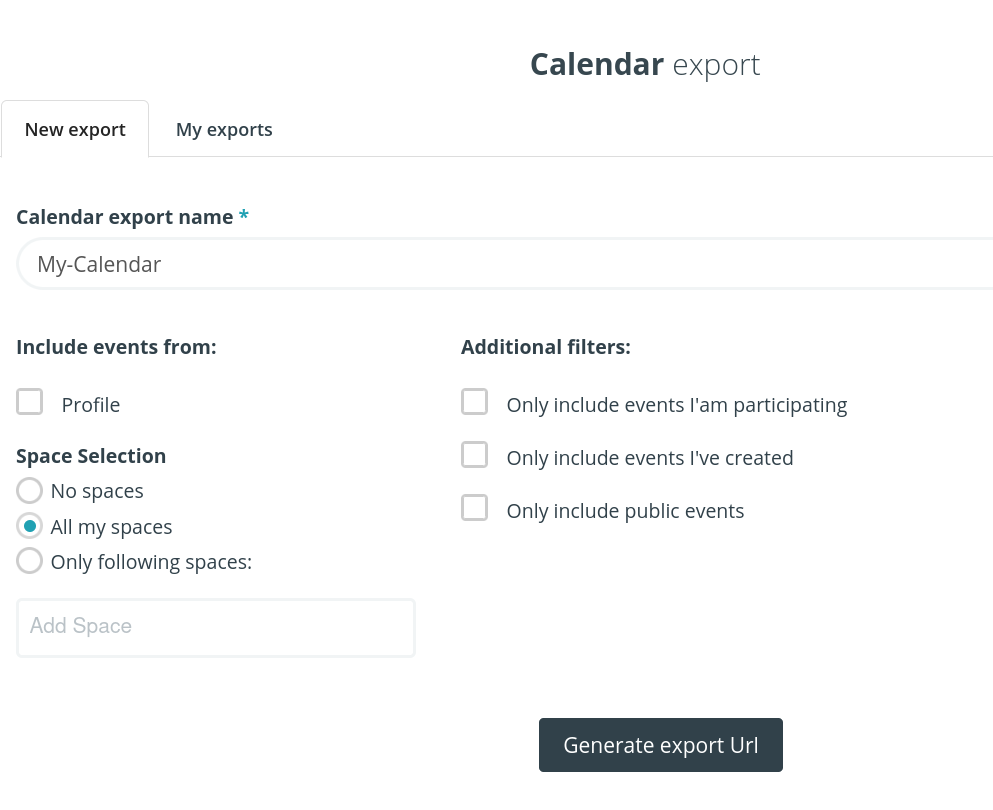
<span style="font-family: 'Arial'; font-size: 11pt; color: #000000; mso-style-textfill-fill-color: #000000;">In the Export popup give it a name &amp; tick ‘all my spaces’</span>

<span style="font-family: 'Arial'; font-size: 11pt; color: #000000; mso-style-textfill-fill-color: #000000;">![](https://knowledge.transition-space.org/uploads/images/gallery/2023-10/embedded-image-e7xyo8ff.png)</span>

<span style="font-family: 'Arial'; font-size: 11pt; color: #000000; mso-style-textfill-fill-color: #000000;">Then click on the Generate export Url button.</span><span style="font-family: 'Arial'; font-size: 11pt; color: #000000; mso-style-textfill-fill-color: #000000;"> (URL is another name for a link)</span>

<span style="font-family: 'Arial'; font-size: 11pt; color: #000000; mso-style-textfill-fill-color: #000000;">![](https://knowledge.transition-space.org/uploads/images/gallery/2023-10/embedded-image-ektdlqi9.png)</span>

<span style="font-family: 'Arial'; font-size: 11pt; color: #000000; mso-style-textfill-fill-color: #000000;">Copy to clipboard.</span>

<span style="font-family: 'Arial'; font-size: 11pt; color: #000000; mso-style-textfill-fill-color: #000000;">If you wish to sync with a Google calendar, then visit </span>[<span style="font-family: 'Arial'; font-size: 11pt; color: #0563c1; mso-style-textfill-fill-color: #0563c1;"><u>https://calendar.google.com/</u></span>](https://calendar.google.com/ "https://calendar.google.com/")

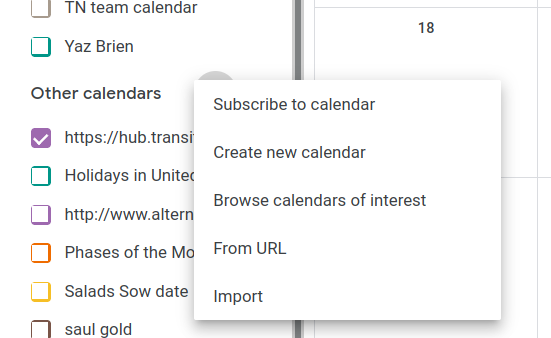
<span style="font-family: 'Arial'; font-size: 11pt; color: #000000; mso-style-textfill-fill-color: #000000;">In the left is + icon next to ‘other calendars’</span>

<span style="font-family: 'Arial'; font-size: 11pt; color: #000000; mso-style-textfill-fill-color: #000000;">![](https://knowledge.transition-space.org/uploads/images/gallery/2023-10/embedded-image-p9eet1ct.png)</span>

<span style="font-family: 'Arial'; font-size: 11pt; color: #000000; mso-style-textfill-fill-color: #000000;">Select ‘from URL’ menu option</span><span style="font-family: 'Arial'; font-size: 11pt; color: #000000; mso-style-textfill-fill-color: #000000;">, into which you paste the URL (link)</span>

<span style="font-family: 'Arial'; font-size: 11pt; color: #000000; mso-style-textfill-fill-color: #000000;">![](https://knowledge.transition-space.org/uploads/images/gallery/2023-10/embedded-image-dol6rsmg.png)</span>

<span style="font-family: 'Arial'; font-size: 11pt; color: #000000; mso-style-textfill-fill-color: #000000;">![](https://knowledge.transition-space.org/uploads/images/gallery/2023-10/embedded-image-gomjk4yu.png)</span>

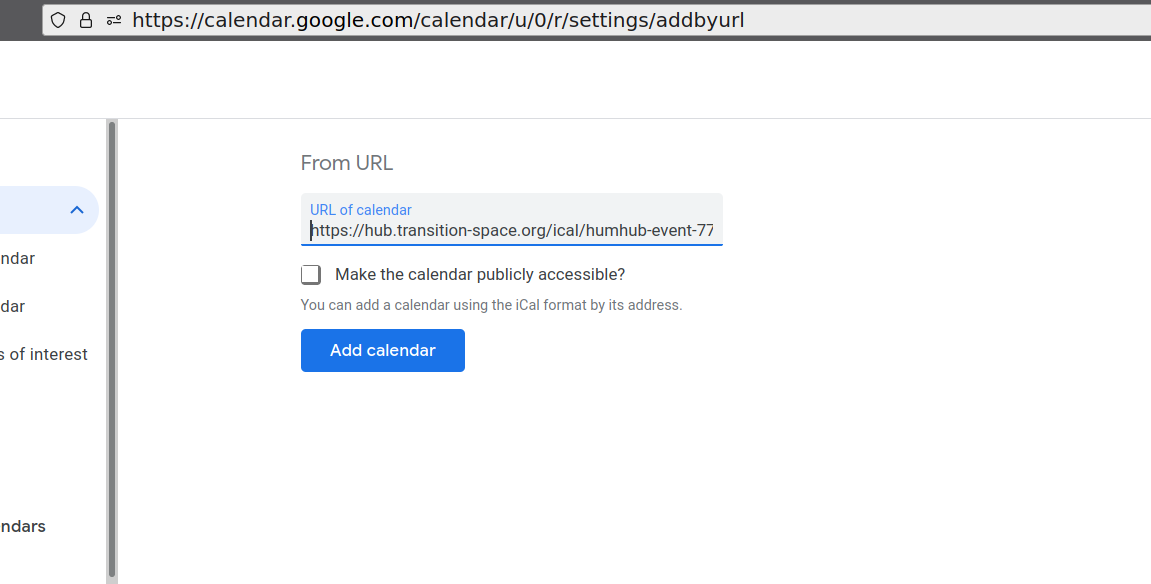
<span style="font-family: 'Arial'; font-size: 11pt; color: #000000; mso-style-textfill-fill-color: #000000;">Paste the URL you copied earlier and then click the ‘Add calendar’ button</span>

<span style="font-family: 'Arial'; font-size: 11pt; color: #000000; mso-style-textfill-fill-color: #000000;">![](https://knowledge.transition-space.org/uploads/images/gallery/2023-10/embedded-image-1jbna7lf.png)</span>

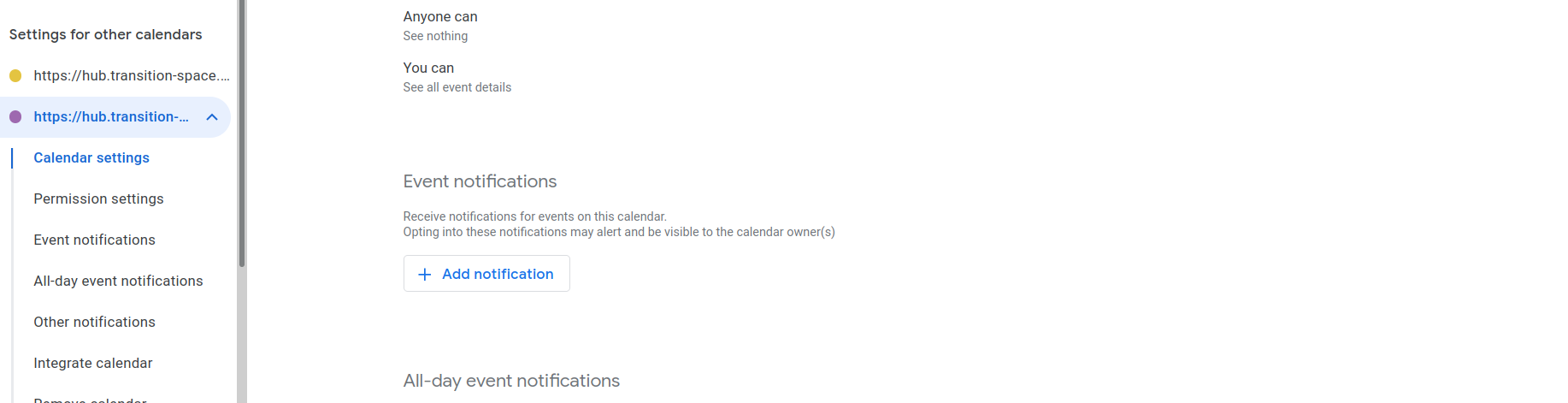
<span style="font-family: 'Arial'; font-size: 11pt; color: #000000; mso-style-textfill-fill-color: #000000;">In the left pane you should now see your calendar &amp; be able to adjust notifications if you wish to</span>

<span style="font-family: 'Arial'; font-size: 11pt; color: #000000; mso-style-textfill-fill-color: #000000;">![](https://knowledge.transition-space.org/uploads/images/gallery/2023-10/embedded-image-vfff0cqk.png)</span>

<span style="font-family: 'Arial'; font-size: 11pt; color: #000000; mso-style-textfill-fill-color: #000000;">So long as the calendar is ‘ticked’ you should now see your hub.transition-space.org events in your Google Calendar</span>